Buyer readiness
Landing page launch QA worksheet
Organization byline: Measurement Press editorial desk. This page does not list an individual author or reviewer. Read the editorial method and corrections policy.
About 13 min read
A campaign can have strong inventory, clean creative, and useful tracking, then lose the reader at the destination. This worksheet checks whether the landing page is ready to receive paid traffic before response data becomes a campaign judgment.
Use it after creative acceptance and tagging QA, but before trafficking begins. The worksheet is built for publishers, buyers, agencies, analysts, and revenue teams that need a shared pass, revise, or hold decision on the destination page.
Picture a launch call where the media plan is approved, the creative has cleared review, and the first paid clicks are scheduled for tomorrow morning. The destination page is the last unchecked part of the evidence chain. If the page is slow, the offer changes, the form drops source fields, or the lead owner never receives the record, the campaign report will blame media for a problem the landing page created.

What the worksheet decides
The destination page should be judged as its own part of the campaign, not treated as background plumbing. A page can pass creative review and still create unreadable results if it loads slowly, changes the offer, strips source IDs, or hides downstream quality.
| Decision | Use when | Reporting consequence |
|---|---|---|
| Accept | The page matches the ad promise, loads reliably, preserves source fields, and captures the needed action or quality signal. | The campaign can launch with normal destination reporting. |
| Accept with limitation | The page is usable, but a field such as downstream lead status, form error logging, or comparison design is unavailable. | State the limitation before launch and keep the readout narrower. |
| Revise | The page fit is plausible, but speed, copy, form behavior, mobile layout, redirect handling, or routing needs correction. | Hold final trafficking until the corrected destination is checked. |
| Hold | The destination is broken, mismatched to the creative, difficult to use, unable to preserve IDs, or too incomplete to evaluate fairly. | Do not launch the campaign against that destination. |
Plainly: the worksheet protects the readout from a bad handoff. It does not prove that paid media caused demand. It decides whether the page is stable enough that later traffic, lead, and quality numbers can be read without guessing which part of the click path failed.
Evidence standards behind the checks
These checks are practical launch controls, not a claim that one platform metric proves page quality. Google Ads describes landing-page experience in terms of giving people what they are looking for, keeping the ad and destination message consistent, and making the site mobile friendly. Read Google's Quality Score guidance before converting a vague "page quality" concern into a hold decision.
For the speed and layout row, record the page version and the observed device context. Google Search Central defines Core Web Vitals around loading performance, responsiveness, and visual stability, with recommended targets of LCP under 2.5 seconds, INP under 200 milliseconds, and CLS under 0.1. Use the Core Web Vitals definitions and Search Console report as measurement references, not as a substitute for checking whether the form and disclosure are usable.
Consent is part of the evidence path. Google's Consent Mode documentation says the tag behavior changes with the user's consent state and that denied states can create observable gaps or modeled results. Review the consent-mode behavior, then record which fields and events are observed, blocked, or modeled in each supported preference state.
Finally, a conversion event needs a precise trigger. Google Ads' web-conversion guidance distinguishes URL-based page-load events from manually implemented button or form events and provides a tag-status check. Use the web-conversion setup and verification steps to document the trigger, count rule, conversion window, and the test record that proves the event fired once.
What the sources support in the launch decision
| Source rule | Use it for | Still requires production evidence |
|---|---|---|
| Quality Score treats landing-page experience as a relevance and usefulness diagnostic. | Check message continuity, usefulness, mobile access, and speed before calling a destination ready. | Page-version evidence, device coverage, form behavior, and downstream action quality. |
| Core Web Vitals measure loading, responsiveness, and visual stability; Google recommends LCP under 2.5 seconds, INP under 200 ms, and CLS under 0.1. | Record the observed device context and keep performance thresholds separate from the form, disclosure, and routing review. | Real-user or lab measurements for the approved page version and a usability check of the actual conversion path. |
| Consent Mode changes tag behavior by consent state and can leave observed, blocked, or modeled paths. | Split consent-state results rather than pooling them as if every event were observed the same way. | The site's consent implementation, event logs, modeled-data boundary, and documented preference states. |
| Web-conversion setup distinguishes URL/page-load triggers from code-based button or form events and requires status verification. | Name the exact completion trigger and test that one intended action produces one recorded event. | Tag status, duplicate handling, conversion window, confirmation path, and raw test records. |
Boundary: the sources define launch and measurement checks; they do not set this worksheet's score thresholds, validate the simulated records, or prove that a landing page caused a campaign outcome.
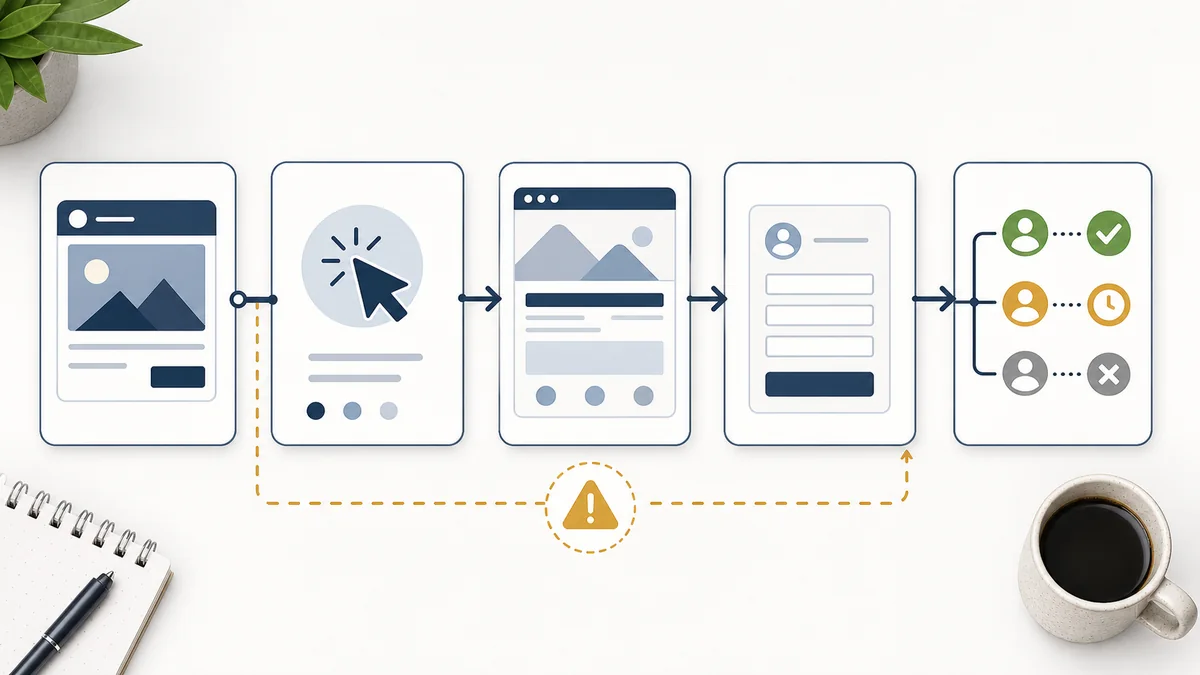
Launch QA worksheet
| Check | Pass condition | Hold or revise if |
|---|---|---|
| Message match | The page headline, offer, brand, resource, form action, and confirmation path match the approved creative. | The ad promises one task while the page asks for a different action or sends the reader to a generic page. |
| Page speed | The desktop and mobile page load without long blank states, broken assets, blocked scripts, or delayed form access. | Slow or unstable loading could make placement quality look weaker than it is. |
| Mobile usability | Primary copy, call to action, form fields, disclosure text, and confirmation state are readable without horizontal scrolling. | The mobile page hides the action, overlays the form, clips text, or makes completion error-prone. |
| Form friction | Required fields are justified by the offer, validation messages are clear, autofill works where relevant, and errors can be corrected. | The form asks for avoidable fields, fails silently, rejects normal inputs, or loses progress after an error. |
| Tracking fields | Campaign ID, placement ID, creative ID, destination ID, UTM values, device class, and page version survive redirects and form submission. | Traffic or leads cannot be tied back to the correct source trail. |
| Consent or preference state | Analytics, form capture, and routing behavior are known for the major consent or preference states the page supports. | A reader choice changes measurement or submission behavior in a way the report cannot explain. |
| Confirmation event | The thank-you page, event, or submitted-record state is stable enough to identify completions without double counting refreshes. | The conversion fires on page view, form start, duplicate submission, or a page state that cannot be audited. |
| Lead routing | Submitted records have owner, timestamp, source fields, qualification rule, duplicate rule, and follow-up status where relevant. | Lead quality will be judged without knowing whether records were routed, contacted, accepted, or rejected. |

Launch readiness score
Use a small score when the team needs a quick launch call. Each row gets 0, 1, or 2 points. A zero is not a moral failure; it means the page is not ready to carry the campaign's evidence burden.
| Readiness area | 0: hold | 1: revise or limit | 2: ready |
|---|---|---|---|
| Offer and message match | The page asks for a different action than the ad promised. | The offer is close, but the page needs clearer copy, disclosure, or audience fit. | The page headline, proof, action, and confirmation path match the approved creative. |
| Speed and mobile access | The main content or form is delayed, clipped, blocked, or hard to complete on common devices. | The page is usable, but one device class or page state needs a known limitation. | The page loads steadily and the primary action is reachable without layout or form friction. |
| Form and confirmation event | The form fails, loses progress, fires the wrong event, or counts duplicate/early actions as completions. | The form works, but error logging, duplicate rules, or confirmation details are incomplete. | The form, validation, confirmation, and completion event are stable and auditable. |
| Source trail and consent behavior | Campaign, placement, creative, destination, or consent-state fields disappear before submission. | Core source fields survive, but one redirect, consent state, or analytics view needs documentation. | Source fields survive redirects, preference states, and form submission with known field names. |
| Routing and quality follow-up | Submitted records have no owner, status, duplicate rule, rejection reason, or follow-up trail. | Routing works, but qualification or follow-up status will be partial in the first readout. | Owner, timestamp, status, qualification, duplicate, invalid, and response-time fields are available. |
Score 8 to 10 as accept. Score 6 to 7 as accept with limitation, and name the limit before launch. Score 4 to 5 as revise unless the campaign risk is small and the buyer accepts a narrow readout. Score 0 to 3 as hold because the page can distort the campaign result.
Simulated worked launch gate
This is a simulated worked example, not a report from a real campaign or landing page. It shows how to turn the worksheet into a documented launch decision without treating a readiness score as proof of media performance.
| Area | Observed in simulation | Points | Boundary |
|---|---|---|---|
| Message match | Ad, headline, offer, form action, and confirmation name the same demo request. | 2 | Does not prove the audience wanted the offer. |
| Speed and mobile | Mobile LCP is 2.8 seconds, above the 2.5-second target; form is still reachable. | 1 | Needs a speed fix or a disclosed launch limitation. |
| Form and event | 48 of 50 test submissions create one confirmation event; 2 duplicate submissions are flagged. | 1 | The 96% clean-event rate is a QA result, not a conversion rate. |
| Source and consent | 9 of 10 test records retain campaign and creative IDs; one denied-consent path has no user-level ID. | 1 | Observed and modeled/blocked paths must not be pooled without a note. |
| Routing and quality | Owner and timestamp arrive for 10 of 10 simulated records; qualification is not yet available. | 1 | Lead quality remains unmeasured until a downstream status exists. |
Arithmetic: 2 + 1 + 1 + 1 + 1 = 6/10. Under this worksheet's rule, the simulated decision is accept with limitation, not "ready without qualification." Before launch, fix or explicitly accept the mobile-speed issue, repair the missing source ID, and state that downstream lead quality is outside the first readout. A different test sample, consent implementation, page version, or event definition could change the score; the packet is a decision aid, not causal evidence.
Page-specific pre-launch test packet
Use this second packet when a team needs to turn the worksheet into a repeatable handoff. The following numbers are a simulated 12-path test, not traffic from a real destination. Run the same paths on the approved page version: four mobile, four desktop, and four consent-denied or preference-state paths. Record the raw result for each path rather than only the pass rate.
| Gate | Pass rule for the test packet | Simulated result | Launch implication |
|---|---|---|---|
| Message and offer match | Ad promise, page headline, offer, form action, and confirmation describe the same reader action. | 12/12 = 100% | Pass; still does not establish audience demand. |
| Mobile performance and access | Primary content and form are reachable; record LCP, INP, and CLS against the cited reference thresholds and the page's device context. | 8/12 = 66.7% | Revise: two mobile paths exceed the illustrative performance target and two expose delayed form access. |
| Event integrity | One completed submission produces one auditable completion event; refreshes, starts, and duplicate submits do not count as completions. | 10/12 = 83.3% | Revise: one early page-state event and one duplicate need correction or an explicit weaker-signal label. |
| Source-field retention | Campaign, placement, creative, destination, and approved UTM fields survive redirects and form submission. | 9/12 = 75.0% | Hold the affected path: three simulated redirect records lose at least one source field. |
| Consent-state observability | For each supported preference state, record whether tags, identifiers, events, or modeled results are observed, blocked, or unavailable. | 8/12 = 66.7% | Revise: denied-state behavior is not yet documented well enough to pool with consented paths. |
| Routing and downstream status | Each submitted record has an owner, timestamp, duplicate/invalid rule, and a known qualification or follow-up status. | 7/12 = 58.3% | Limit the first readout: delivery and form completion are observable; lead quality is not. |
Reproduction: Sum the six gate pass counts: 12 + 8 + 10 + 9 + 8 + 7 = 54 successful gate-path checks out of 72, or 75.0%. Keep the gates separate as well as reporting the roll-up; a high total must not hide a source-retention hold. Under this worksheet's decision rule, the simulated result is revise before launch because source retention is incomplete and consent-state behavior is not yet explainable. If the three lost source records are repaired, the roll-up becomes 57/72 = 79.2%, but the decision remains revise until the consent and routing gates are documented. If all six routing gaps are fixed while the source and consent gaps remain, the roll-up is 60/72 = 83.3% and still does not become an accept decision. The arithmetic is a QA illustration, not a conversion rate, quality score, causal estimate, or real campaign result.
The cited Google Ads and Search Central pages support the concepts and measurement references used by this packet; they do not set this worksheet's 75% roll-up rule, validate its simulated records, or prove that a page caused a campaign outcome. Preserve the page version, device, consent state, redirect path, raw event log, and reviewer decision with the handoff so another reviewer can reproduce the result.
Fast field packet
Before launch, record the fields that make the destination auditable. The packet should be short enough for the traffic manager, buyer, and analyst to use the same names.
Destination fields
Final URL, redirect URL if any, page version, page owner, offer ID, form ID, confirmation event, and fallback mobile URL if different.
Source fields
Campaign ID, package ID, placement ID, creative ID, destination ID, UTM values, device class, flight dates, and approved click URL.
Quality fields
Engaged visit, form start, form completion, duplicate flag, invalid flag, qualification status, routed owner, first response time, and accepted status.
Failure modes to name early
| Pattern | What it can distort | Before-launch fix |
|---|---|---|
| Redirect drops source IDs. | Creative, placement, or package performance can be pooled under direct or unknown traffic. | Test final URLs through every redirect and confirm fields appear in analytics or form capture. |
| Page variant changes mid-flight. | A campaign readout may mix destination effects with media, creative, or audience effects. | Version the page and note the active dates for every destination change. |
| Form accepts easy volume. | Raw completions can rise while useful demand falls. | Define qualification, duplicate, invalid, and disqualification rules before launch. |
| Confirmation fires too early. | Form starts, page views, or duplicate submits may be counted as completed actions. | Confirm the event fires only after a completed, accepted submission or clearly label the weaker signal. |
| Follow-up coverage is uneven. | Lead quality may be blamed on media when routing or sales coverage caused the drop-off. | Record routing owner, first response time, contact status, accepted status, and rejection reason. |
Launch handoff note
Use this note in the final handoff so destination readiness travels with the creative and tagging record.

Destination decisionState accept, accept with limitation, revise, or hold. Name the page version, final URL, launch owner, and any reporting limits that should appear in the readout.
Measurement boundaryState whether the destination can support delivery reporting, traffic-quality reporting, lead-quality reporting, a matched outcome readout, or an incrementality claim.
First readout questionWrite the first question the campaign report should answer, such as whether qualified visits arrived, whether the page converted them, whether leads passed filters, or whether follow-up was complete.
Pair with
Use this worksheet after the creative asset acceptance checklist confirms display or native assets and before the campaign tagging QA checklist verifies URL parameters and IDs. Pair it with the contextual campaign brief template for launch ownership, the campaign data-layer spec for source fields, the landing page and lead quality checklist for readout interpretation, the creative and destination troubleshooting matrix when response patterns point to page friction or message mismatch, the campaign reporting sample for finished tables, and the campaign readout QA checklist before the result becomes a budget decision.