Buyer readiness
Programmatic inventory QA checklist
Organization byline: Measurement Press editorial desk. This page does not list an individual author or reviewer. Read the editorial method and corrections policy.
About 10 min read
A package can look credible in a media kit and still fail in trafficking if the placement IDs, size maps, labels, reporting keys, and page behavior are not checked before launch.
Use this checklist when a publisher, buyer, or operations team needs to know whether display, native, right-rail, and private marketplace inventory is clean enough to sell, traffic, report, and renew without guessing. The goal is not to promise outcomes. The goal is to make every impression traceable to a reader context, placement contract, creative size, and reporting lane.
Imagine the launch review starts on Thursday afternoon. The proposal names a premium contextual package, the ad server has several size choices, the page preview hides one rail on mobile, and the report template only has a broad placement label. None of those facts is dramatic by itself. Together, they decide whether the Monday launch creates a clean campaign record or a renewal meeting full of avoidable uncertainty.
Preflight checks
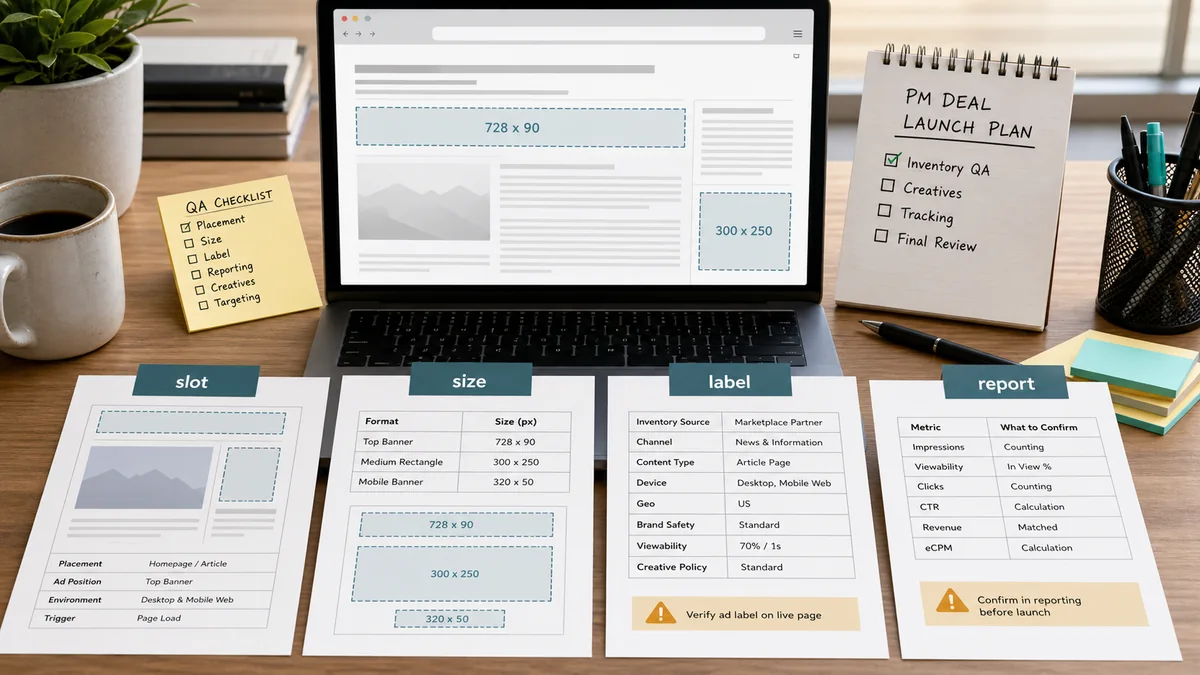
Run preflight before a proposal becomes a live campaign. The review should identify whether the package is ready, needs a trafficking fix, needs a reporting fix, or should stay out of market until the source fields are complete.
In plain language, preflight means proving that the thing sold in the proposal is the same thing that can render on the page and appear in the report. If the slot, size, device rule, label, and report key cannot be joined, the final readout will be forced to rely on totals instead of evidence.
| Check | Ready evidence | Hold or fix when |
|---|---|---|
| Placement identity | Every visible unit has a stable placement ID that appears in the media kit, inventory matrix, ad config, and reporting dictionary. | The same unit is described by different names across proposal, page, and report fields. |
| Format and size map | The accepted sizes match the placement contract by desktop, tablet, and mobile viewport. | A creative can be sold into a size the page cannot render cleanly. |
| Plain labeling | Every paid unit is labeled as an advertisement, sponsored module, or sponsor placement in visible page copy. | The label is hidden, ambiguous, or separated from the paid unit. |
| Reader context | The package names the desk, page type, guide set, or case-study group that makes the inventory relevant. | The campaign is sold as a contextual package but trafficked as unclear run-of-publication delivery. |
| Reporting key | Placement, package, creative, device, context, and destination fields can be joined after launch. | The report can only show total impressions, clicks, or leads with no placement-level source trail. |
| Reader experience | Ad load, spacing, mobile behavior, and rail behavior preserve the page's reference value. | Units push content unpredictably, crowd the opening context, or create a layout shift that changes reading flow. |
Page implementation QA
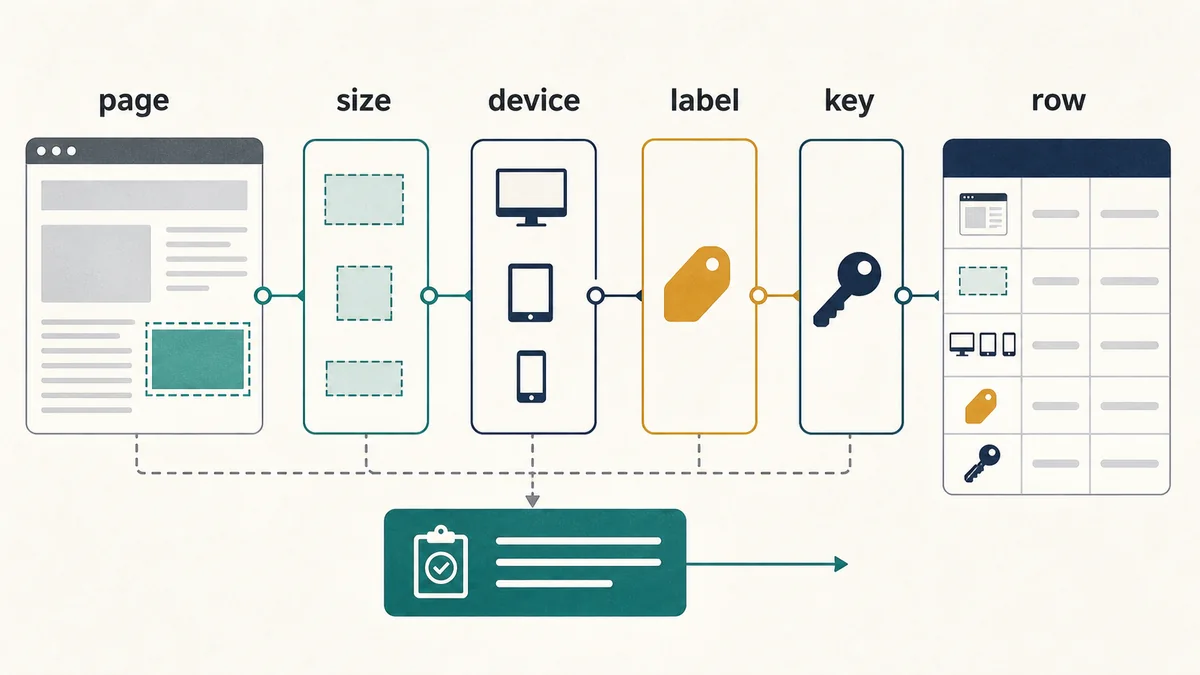
1. Confirm the page contract.Open the live or preview page and record each placement ID, visible label, format, and location. The page should match the media kit and inventory readiness matrix without needing verbal clarification.
2. Test breakpoints before trafficking.Check desktop, tablet, and mobile widths. Rail units should not create empty mobile regions. Inline, leaderboard, native, and post-content units should keep their intended size family and spacing.
3. Keep labels attached.The label should remain close to the paid unit after responsive changes, creative loading, or placeholder rendering. A reader should not have to infer whether a module is editorial or paid.
4. Preserve the reporting grain.Do not collapse package, placement, device, creative size, page context, and destination into one row before the first readout. Aggregation can happen later; missing fields cannot be reconstructed reliably.
5. Note exceptions before launch.If a unit is suppressed on mobile, excluded from a package, held for house inventory, or missing a size, write that exception into the campaign handoff before delivery starts.
Trafficking QA
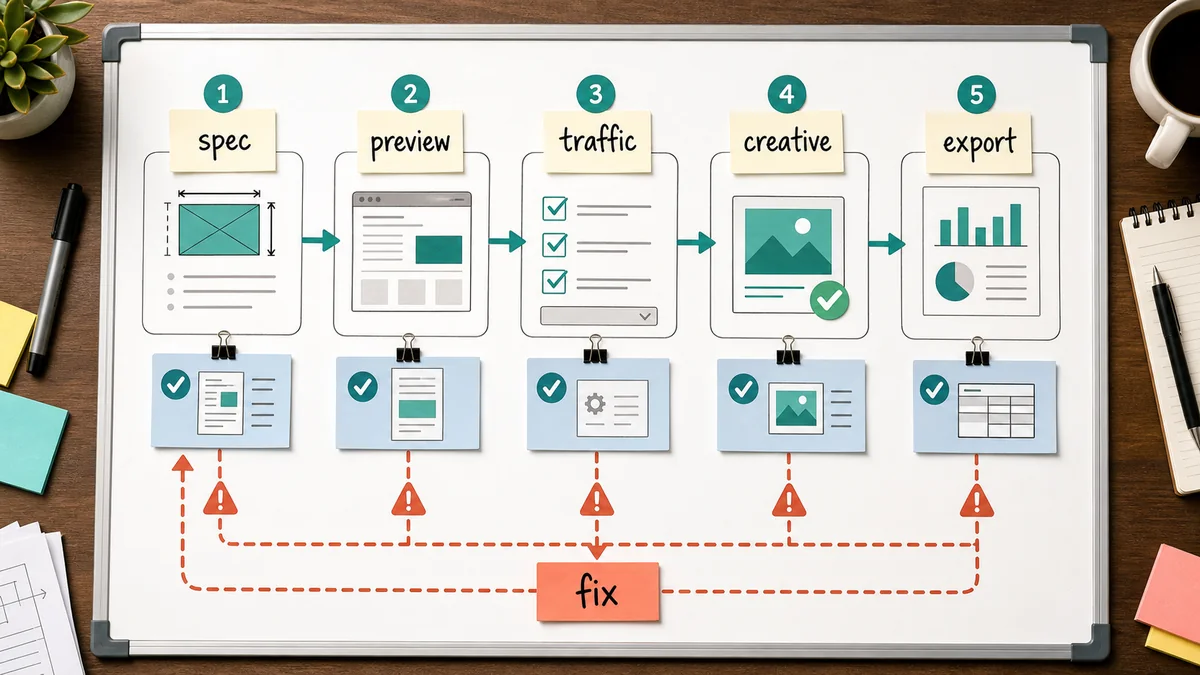
A clean launch connects the buyer brief, page placement, creative file, tracking values, and report output. Use this table before the campaign goes live.
| Field | What to check | Why it matters |
|---|---|---|
| Campaign and deal name | Buyer, package ID, quarter, objective, and buying path are visible. | Prevents proposal, trafficking, invoice, and report records from drifting apart. |
| Package ID | The package matches the reader job and eligible URL set. | Keeps contextual buying from turning into broad pooled delivery. |
| Placement IDs | Only approved units are included, with device eligibility and size rules preserved. | Stops unavailable or wrong-format inventory from entering the flight. |
| Creative files | Display sizes, native fields, backup mobile assets, click URL, and destination page pass the creative asset acceptance checklist. | Reduces launch delays and keeps creative performance readable. |
| Tracking values | UTM values, placement IDs, creative IDs, destination IDs, and campaign IDs pass the campaign tagging QA checklist. | Preserves the source trail for traffic, lead, and matchback analysis. |
| Destination readiness | The landing page matches the offer, loads cleanly, and can capture lead source fields if needed. | Prevents weak destination execution from being misread as weak inventory. |
| Primary signal | The brief names whether renewal depends on delivery quality, qualified visits, lead quality, brand movement, or a designed lift read. | Stops the readout from choosing the strongest-looking metric after the flight. |
Reportability checks
A campaign is not ready to sell as a clean private marketplace lane unless the readout can separate where delivery happened, what rendered, what a reader did next, and what the evidence can support.
| Report slice | Minimum fields | Do not conclude from this alone |
|---|---|---|
| Delivery | Package ID, placement ID, device class, creative size, rendered impressions, measurable impressions, and viewable impressions when available. | That delivery quality caused downstream outcomes. |
| Context | Desk, page group, article type, URL or URL group, and package inclusion status. | That one strong page represents the whole package. |
| Traffic | Clicks, engaged sessions, return visits, destination actions, invalid-traffic review, and qualified-visit rule. | That traffic volume is the same as incremental demand. |
| Lead quality | Form source, duplicate rule, disqualification reason, qualification status, follow-up status, and stage movement where available. | That form fills created new pipeline. |
| Creative response | Creative ID, message theme, format, destination, active dates, and rotation changes. | That the highest CTR creative is the strongest business choice. |
| Comparison | Prior flight, matched context, reserved holdout, or a clear note that no comparison was designed. | That descriptive performance is causal lift. |
Source boundary for the implementation checks
Google Ad Manager defines inventory as the ad space on a site or app, with ad units representing that space and placements grouping ad units. Its inventory overview supports keeping the unit ID, placement, size, and page context distinct in the launch record.
For reporting, Google explains that targeting keys can be reported through key-value dimensions and that one impression may overlap multiple keys. The targeting-key reporting guidance therefore supports checking the reporting grain, but it does not make a key-value row unique or prove that a placement caused an outcome. Google also describes forecasts as simulations based on historical traffic and estimates in its forecasting documentation; forecasted capacity is not a delivery guarantee.
Use these links for platform definitions, then verify the account-specific report schema, key configuration, placement contract, and responsive preview in the actual ad stack. The source definitions do not replace a page-level QA record or a comparison design.
Worked package decision map
Use a decision map when the package is mostly sound but the launch team is arguing about whether small exceptions can wait. The map turns each exception into a launch choice instead of a vague risk note.
| Finding before launch | Risk if ignored | Decision rule | Launch language |
|---|---|---|---|
| Desktop leaderboard and mobile banner have clear IDs, accepted sizes, and attached labels. | Low risk for placement confusion. | Ready if the same IDs appear in the report dictionary. | Traffic as approved package inventory. |
| Right rail is part of the package but disappears below tablet width. | Device delivery may be misread as underdelivery or weak demand. | Ready after fix if mobile suppression is named in the handoff and report. | Describe desktop-only rail delivery separately. |
| Native unit has final copy but no approved fallback image or destination source value. | Creative and traffic records may split from the package record. | Fix before launch; do not traffic until the creative and destination fields are complete. | Hold native unit until the handoff is complete. |
| Report template can show impressions and clicks, but not package, placement, device, or creative row. | The readout cannot prove which inventory delivered the response. | Hold for rebuild if row-level fields cannot be added. | Do not sell as a private marketplace evidence lane. |
Simulated Worked Example
A reproducible go/no-go triage score
This is a teaching scenario, not a Measurement Press campaign or a real buyer package. Assume an eight-gate review for a proposed display and private marketplace package. A pass means the evidence is present in the preview, contract, or export; a fail means the reviewer must record the exception before launch.
| Gate | Evidence required | Simulated result | Blocking? |
|---|---|---|---|
| Stable placement identity | The same unit and placement IDs appear in the proposal, page config, and report dictionary. | Pass | Yes |
| Responsive size map | Accepted sizes and suppression rules are recorded for desktop, tablet, and mobile. | Pass | Yes |
| Attached paid label | The label remains adjacent to the paid unit in the rendered preview. | Pass | Yes |
| Preview at three widths | The right rail is either usable or explicitly suppressed without an unexplained gap. | Fail | Yes |
| Creative and destination join | Creative ID, destination ID, click URL, and approval state can be joined. | Pass | Yes |
| Reporting-key definition | Keys used for package or placement reporting are documented and valid in the account. | Pass | Yes |
| Report grain | The export preserves package, placement, device, creative, and context fields. | Fail | Yes |
| Exception handoff | Every known suppression, missing field, and owner is written into the launch record. | Pass | No |
Reproduce the triage scorePasses = 6. Gates = 8. Triage score = 6 / 8 = 75.0%. That percentage is a tracking aid, not a readiness probability: the package remains Hold for rebuild because the failed responsive-preview and report-grain gates are blocking even though the total score is above 50%. Recalculate by counting only rows marked Pass, dividing by the eight listed gates, and then applying the separate blocking-gate rule.
Limitations: The scenario does not estimate delivery, revenue, viewability, audience quality, or causal lift. A real review must replace each simulated result with a saved preview, contract field, or export column, record the check date and owner, and rerun the gates after a material page, creative, targeting, or report change.
Decision bands
| Status | Use when | Next action |
|---|---|---|
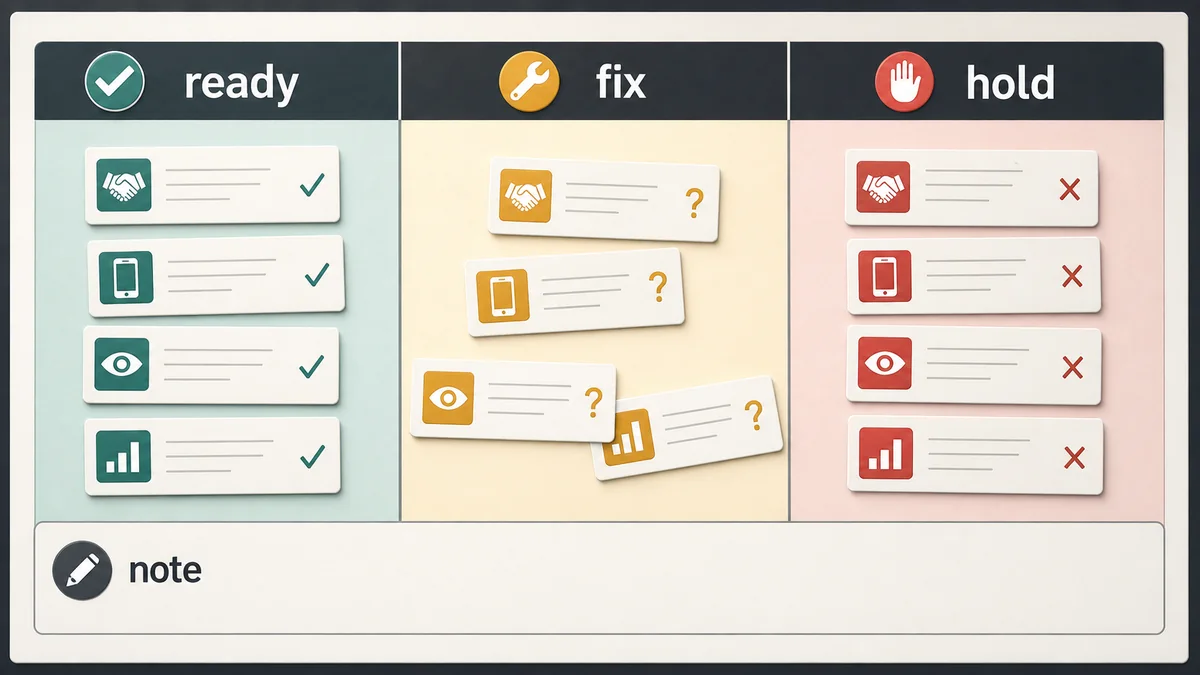
| Ready to traffic | Placement identity, size maps, labels, creative assets, tracking values, and reporting keys are complete. | Launch with the agreed report slices and exception log. |
| Ready after fix | The package is sound, but a size, label, tracking value, or destination field needs correction. | Fix before launch and note the change in the campaign handoff. |
| Report-only flight | Delivery can run, but no comparison or buyer-side outcome will be available. | Use descriptive language and avoid renewal claims stronger than observed response. |
| Hold for rebuild | The package cannot be joined to stable placement, device, creative, context, or report fields. | Rebuild the package contract before selling it as private marketplace inventory. |
Pair with
Use this QA checklist with the media kit for placement specs, the inventory readiness matrix for package contracts, the ad yield and deal-readiness checklist before pricing, the contextual campaign brief template before launch, the private marketplace reporting field dictionary for field names, the private marketplace readout export sample for row-level checks, and the private marketplace renewal scorecard before renewal language is written.
Open the broader inventory-readiness route.
Use these routes when slot QA leads into reading-flow, seller-path, launch, or package-readiness decisions.
Inventory deskChoose the readiness routeMove through placements, automatic-demand flow, seller evidence, launch fields, and reporting maps.
Inventory laneSearch inventory guidesFind checks for programmatic slots, seller paths, ad yield, page speed, and deal readiness.
Slot matrixReview placement contractsCheck slot IDs, size families, refresh boundaries, package fit, and reporting keys.
Takeaway
Clean inventory is a chain of small visible facts: a placement ID, an accepted size, a readable label, a reader context, a destination, and a reporting key. If those facts survive launch, the final readout can stay useful without overstating what the campaign proved.